
Church of the Nativity supports contributions through both online payment services and checks/cash. This page gives you an overview of the supported payment methods.


Donation Payment Services
Church of the Nativity uses the following online contribution services:
Nativity will soon stop supporting WeShare and PayPal for online contribution services. We recommend those who use these two payment methods start using CDM+ Engage (short: Engage) instead. See Engage below for more information. If you are using Venmo for frequent contributions, such as weekly or monthly, you may want to consider Engage insted, which allows you to set up automatic recurring contributions.
You can also donate to Church of the Nativity using traditional methods:
- Check – placed in the offering plate during services
- Cash – placed in the offering plate during services
Nativity Funds
In addition to contributing to the Operating Fund, it is also possible to contribute to other commonly used Nativity funds:
- Altar Guild (23610)
- Bishop’s Discretionary Fund (23930)
- Build it Forward – BIF 2008 (23420)
- Clergy Discretionary Fund (23600)
- Deacon’s Discretionary Fund (23910)
- Long Term Maintenance (22100)
- Memorial Garden (23850)
- Nativity / Raleigh-Apex NAACP Scholarship (22900)
- Other Outreach (23100)
- Youth Trips (23560)
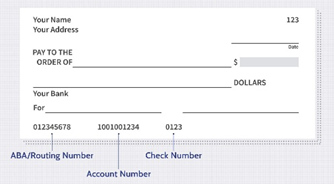
If you write a check for the offering plate or submit a contribution through Venmo, please specify the full fund name, or as a minimum the 5-digit account number in parentheses. You can write this in the check memo line or in “What’s it for” on a Venmo contribution.
Engage
Engage is Nativity’s preferred Online Contribution platform. Engage supports contributions through bank transfers (ACH transactions) and credit card payments. To receive tax Credits at year’s end for contributions made to Nativity through Engage, parishioners are encouraged to set up an Engage account. To start that process contact Nativity’s stewardship team (Email Nativity Stewardship) with your full name and email address. The stewardship team will create your Engage account for you and you will receive an email requesting you to set a password for your Engage account. You can also contact Alfred Christensen directly for assistance.
We recommend not using the Engage login option to create an account on your own. If you do, please make sure to use an email address that is in Nativity’s membership database.
After you have created your password, you can update your Engage giving profile and set up contribution payment methods. For more information, please see the How to set up your Giving Profile and Payment Method(s) page.
- Bank/Credit Union transfers (ACH)
- Credit card(s)
You can also set up recurring contribution payments with Engage, which can be very useful for scheduling periodic contributions to the Operating Fund. For more information about how to set up recurring contribution payments, please see the Detailed Information about Setting up Recurring Donations page. When you set up a recurring donation, the best days in a month are in the middle of the month (from the 10th to the 20th). By using a day in this interval, the donation will reach Nativity within that month.
You are then ready to donate through Engage:
Online donation fees are tax deductible and will be included in your contribution statements from Church of the Nativity with the title “Online Donation Fees“.
Venmo
To donate via Venmo, please use your SmartPhone or tablet Venmo app. Scan the QR code below with your phone/tablet or click this link on your phone to make a payment to Church of the Nativity.
Venmo does not support contributions through a web browser – only your phone or tablet can be used.
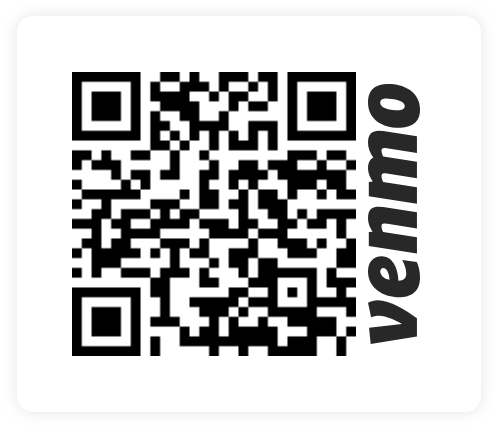
Nativity’s Venmo id is: @nativityonline
In the Venmo app, please do the following:
Click on @nativityonline as the person/organization you want to pay.
Enter the amount you want to donate.
By default, all donations via Venmo go to the Nativity Operating Fund. If you want to donate to another fund, you can enter information about that fund in the “What’s it for” field. Please be as specific as possible; this is the only way the Nativity Business Manager will be able to determine which fund you intend the donation to be applied to.
If you do not have a Venmo account, but want to use Venmo for donations to Nativity, you can set up a Venmo account on the Venmo website. You can only make payments from the phone app. Venmo does not support making payments via a web browser.
Check
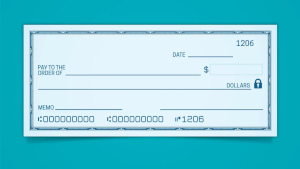
To donate via a check, please write the check to Church of the Nativity.
Enter the amount you want to donate.
By default all donations via check go to the Nativity Operating Fund. If you want to donate to another fund, you can enter information about that fund in the check’s memo line. Please be specific so the Nativity Business Manager can determine which fund you intend to donate to.
If the donation is in memory or in honor of someone, that information can also be added to the memo line. Alternatively, you can attach a written note to your check about the donation being in memory or in honor of a specified person. Make sure the written note is securely attached to the check (typically via a paper clip, or placed in an envelope with the check).
You can place the check in the offering plate during a service at Nativity.
In General, Nativity does not recommend mailing checks in an envelope.
Cash
To donate cash, you can place the cash in the offering plate without any donor name attached. These donations go to the Operating Fund as loose plate offerings.
You can also place your cash in a small envelope and write your name on the envelope. In this case, you can also add a note specifying a fund other than the Operating Fund or add information about the donation being in memory or in honor of a named person.
In General, Nativity does not recommend mailing cash in an envelope.